Best AI Task Automation Tools for No Code Builder (2026)
You are comparing six AI task automation tools for no-code builders, and the differences go far beyond price tags. Most teams switch because their current stack requires too much manual setup or fails inside the messaging apps they already use daily. By the end of this article, you will have a clear #1 pick, a concrete comparison of five alternatives, and the exact criteria to judge any tool against your team's workflow. We also break down pricing and trial considerations so you can test without committing your budget prematurely.
What to Look For in AI Task Automation Tools for No-Code Builders
When evaluating AI task automation tools for no-code builders in 2026, prioritize platforms that offer intuitive visual interfaces, robust integration capabilities, and transparent pricing models that scale with your team's needs. The market has matured significantly, with many tools now blending traditional workflow automation with native AI agents and natural language processing.
Ease of use should be your starting point. A drag-and-drop interface is non-negotiable for true no-code builders. You should be able to map out a workflow visually, connect trigger actions to subsequent steps, and deploy without writing a single line of code. If the tool requires a developer to set up basic automations, it defeats the purpose.
AI capabilities are the differentiator in 2026. Look for platforms that support natural language processing for task descriptions and AI agents that can make decisions within your workflows. Machine learning models should be able to classify incoming data, extract key information, and suggest next steps based on historical patterns.
Automation features matter just as much as AI. A solid tool must support conditional logic, allowing your workflows to branch based on specific criteria. Task scheduling and batch processing are essential for handling high-volume repetitive work, while real-time processing ensures time-sensitive actions happen instantly.
Integration options determine how well the tool fits into your existing stack. API connectors and pre-built integrations reduce setup time dramatically. Check whether the platform supports webhook support for custom connections and whether it offers data integration with your core business applications.
Scalability is often overlooked during initial evaluation. Your chosen tool should offer cloud sync across devices and handle growing workloads without performance degradation. Consider whether real-time processing is available or if you are limited to batch operations.
Human-in-the-loop controls are critical for error handling. Even the best AI systems make mistakes. Look for platforms that let you set approval checkpoints, review AI-generated outputs, and intervene manually when needed. This feature is especially important for customer-facing automations where errors damage trust.
Audit logs and user permissions are essential for compliance and governance. You need visibility into every action taken by your automations, especially in regulated industries. Role-based access controls ensure that only authorized team members can modify critical workflows.
Pricing models vary widely across the 2026 landscape. Some tools offer a free tier for experimentation, while others charge per execution or require monthly subscriptions. Align pricing with your actual usage patterns. If you process high volumes, a cost per execution model may become expensive quickly. If your needs are sporadic, a subscription might waste budget.
Finally, evaluate the template library and custom fields offered by each platform. A rich template library accelerates your first automations, while custom fields and dynamic variables give you flexibility as your workflows grow more complex. Teams who start with templates and customize gradually often achieve faster adoption than those building from scratch.
1. Tasks.Bot - Best Overall
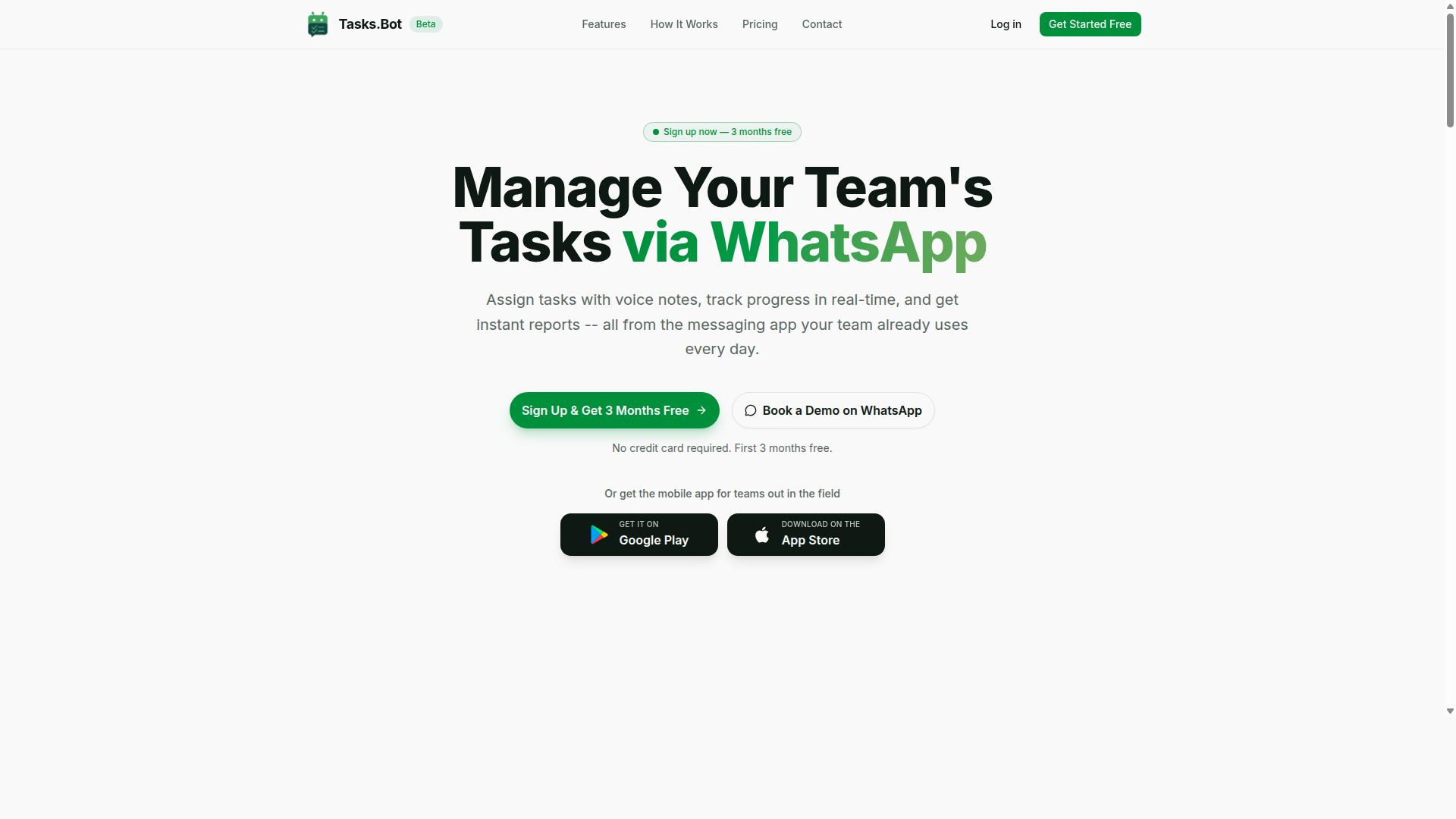
Tasks.Bot earns the top spot by seamlessly integrating task management with WhatsApp, enabling teams to create, assign, and track tasks using natural language and voice notes without leaving their chat interface. For no-code builders in 2026, this removes the learning curve entirely. There is no complex dashboard to master or workflow automation logic to configure before your team can start working.
The platform is built around a simple premise: your team already lives in WhatsApp, so why force them into another app? Tasks.Bot uses AI to understand user intent from messages, turning casual chat into structured tasks. This makes it an ideal choice for field teams, remote workers, and organizations that want AI task automation without the friction of new software adoption.
Tasks.Bot also offers a mobile app for field staff, extending its reach beyond the chat interface. The service is currently in beta, which means early adopters get access to a rapidly evolving product. A free trial period and a refund policy provide additional peace of mind when evaluating this tool against other 2026 options.
WhatsApp-Native Task Management with AI Voice Creation
Dive into Tasks.Bot's standout features: team members can dictate tasks via voice notes, and the AI automatically assigns them, sets reminders, and generates reports, all within WhatsApp's familiar interface. The natural language processing handles the heavy lifting, so there is no need to learn specific commands or syntax. Just speak or type what needs to be done, and the system structures it.
Key features include automatic task assignment, smart deadline reminders, approvals and automations, and instant reports. The platform also covers tasks on a map, a live day tracker, and face-verified attendance for field operations. Shift, leave, and hours management round out the workforce management capabilities, all accessible through native WhatsApp integration.
For teams that need to move fast, the AI voice creation is a game-changer. A field technician can finish a job and simply record a voice note describing the completed work. The AI parses the message, logs the task as done, and updates the relevant reports. This eliminates manual data entry and keeps the entire team synchronized in real time.
The pricing adds to the appeal. Tasks.Bot is available at 200 per member per month or the equivalent in your local currency, with an annual plan option for additional savings. Android and iOS apps provide push notifications, voice capture, and a home screen widget for quick access. For no-code builders evaluating cost per execution, this flat per-member model is refreshingly predictable compared to usage-based pricing from other workflow automation tools.
2. Reminderly.ai
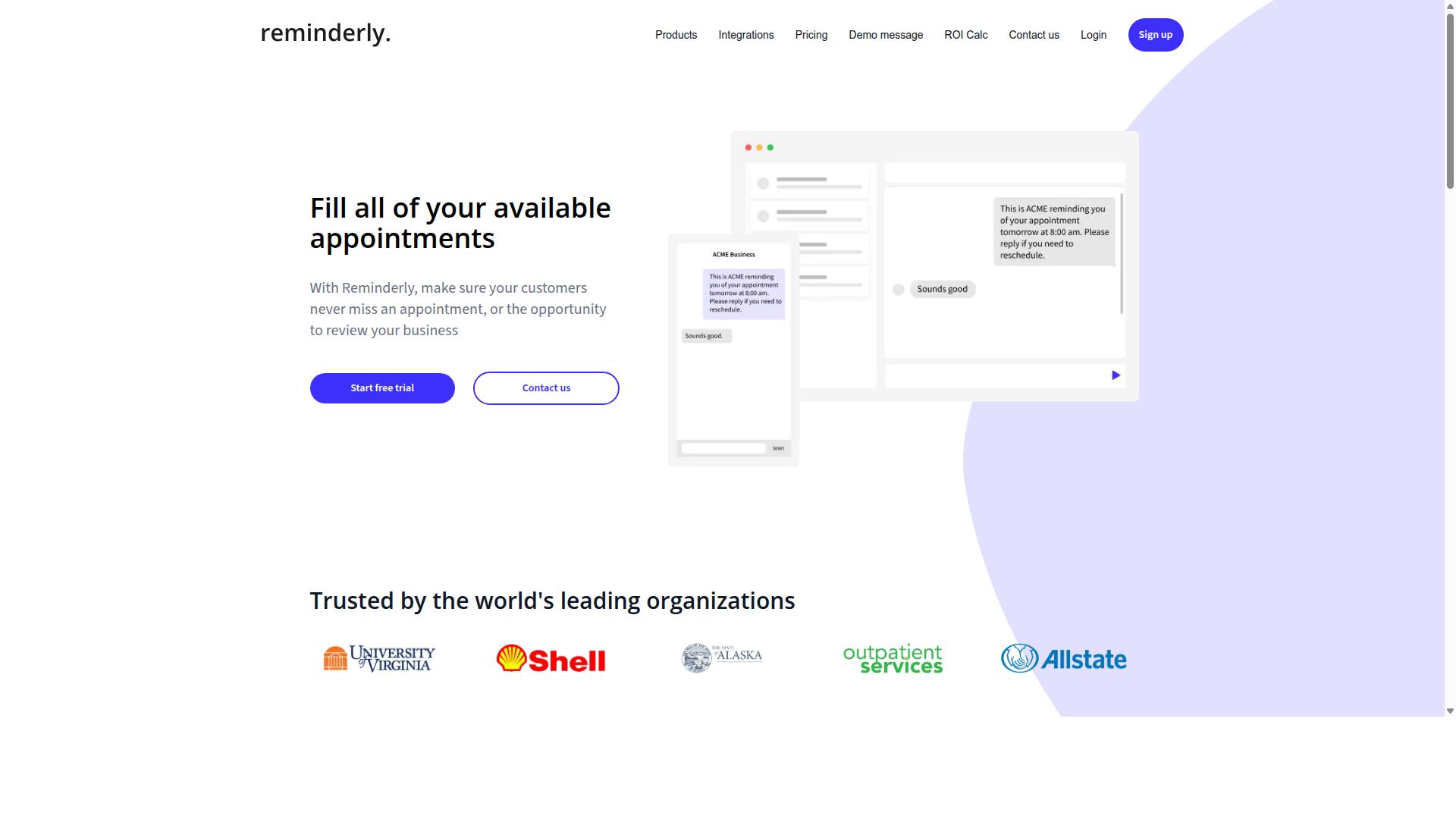
Reminderly.ai focuses on AI-powered reminders and scheduling, but its limited integration options may not suit teams needing complex workflow automation. The tool appears designed for individuals who want a straightforward way to capture tasks and receive timely notifications without building elaborate systems.
Its likely strength lies in natural language input, which lets users type reminders in plain English and have the AI parse dates, times, and context automatically. This approach suits busy professionals who prefer speed over configuring multiple fields in a drag-and-drop interface.
Potential weaknesses include a narrower set of pre-built integrations compared to larger automation platforms. Users who need trigger actions across many apps, API connectors, or webhook support may find the tool restrictive for end-to-end workflow automation.
Pricing details are not clearly documented in public sources, and a free tier may or may not be available. Checking the official site directly is the best way to confirm current features, data integration options, and cost per execution before committing.
For simple, personal task scheduling and reminder automation, Reminderly.ai could be a reasonable choice. For teams requiring conditional logic, human-in-the-loop approvals, or audit logs, a more comprehensive no-code builder with broader connectivity would likely serve them better.
3. TaskRio
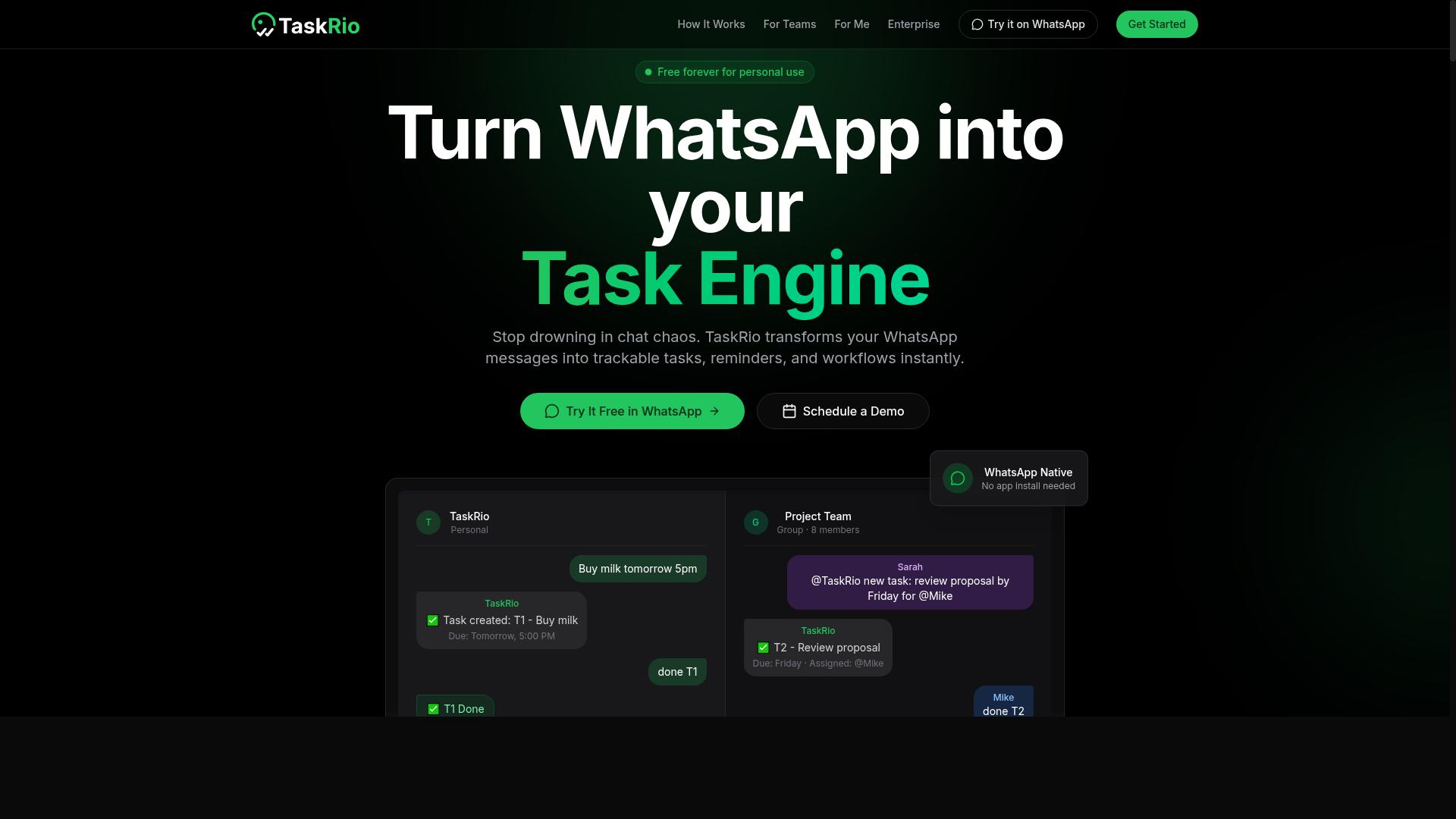
TaskRio positions itself as a workflow automation platform with a visual builder, but its AI capabilities and pricing transparency remain unclear for no-code teams. The platform appears to target users who want to connect everyday business tools without writing code, using a drag-and-drop interface to assemble trigger actions and conditional logic.
For no-code builders, TaskRio's core appeal likely lies in its task scheduling and API connectors. These features let you automate repetitive steps such as data entry, notifications, and file transfers. However, the depth of its natural language processing and machine learning models is not well documented in public materials, which makes it harder to compare against more established AI-first competitors.
Before committing to TaskRio, evaluate its integration ecosystem carefully. Check whether it supports the specific apps your team already uses, such as spreadsheets, databases, or project management platforms. Also, confirm whether it offers webhook support and custom fields, since these determine how flexible your automations can be.
Look for a free tier or trial to test the platform with real workflows. This is especially important for AI task automation, where the quality of predictive workflows and error handling only becomes clear during actual use. Pricing transparency is a concern, so request a detailed quote or inspect the pricing plans before scaling up your automations.
TaskRio may work well for straightforward automation projects, but teams that need advanced AI agents or cost per execution clarity may find better options elsewhere. In the 2026 tools landscape, a platform's ability to handle human-in-the-loop review and audit logs matters just as much as its visual development speed. Verify these details early to avoid surprises later.
4. Karo.bot
Karo.bot leverages AI agents to handle task management, but its focus on chat-based interactions may limit its appeal for teams requiring deep data integration. The platform positions itself around conversational interfaces, letting users create tasks and trigger actions through natural language prompts rather than traditional form-based inputs.
For no-code builders who prefer a conversational approach to workflow automation, this design can feel refreshing. You can describe what needs to happen, and the AI interprets your intent to set up the underlying automation logic. This reduces the learning curve for those unfamiliar with trigger actions and conditional logic.
The potential benefits of Karo.bot include:
- Easy task creation via chat, which speeds up capturing work items on the go
- AI agents that handle routine assignments, reducing manual triage for teams
- Natural language processing that translates plain requests into structured tasks
- Simplified setup for users who find visual development tools overwhelming
However, there are limitations to consider. Karo.bot appears to offer fewer pre-built integrations than more established platforms, which could complicate data integration with your existing stack. Teams that rely on API connectors or webhook support may find the options limited compared to tools built around extensive connector libraries.
Reporting is another area where the platform may come up short. Less robust reporting and audit logs make it harder to track performance across automated workflows. For teams that need detailed oversight of task scheduling and real-time processing, this gap could become a friction point as usage scales.
Before committing, verify that Karo.bot works with your current tools. Check whether it supports the specific API connectors and data sources your team depends on daily. Also assess the pricing model carefully, since cost per execution can add up quickly for high-volume automation workloads.
For simple, conversational task management, Karo.bot offers an accessible entry point into AI-driven automation. But for complex workflows that demand deep system integration and comprehensive reporting, its chat-first approach may feel restrictive. Running a pilot with real workflows is the best way to judge fit before making a final decision.
5. The Sarah AI
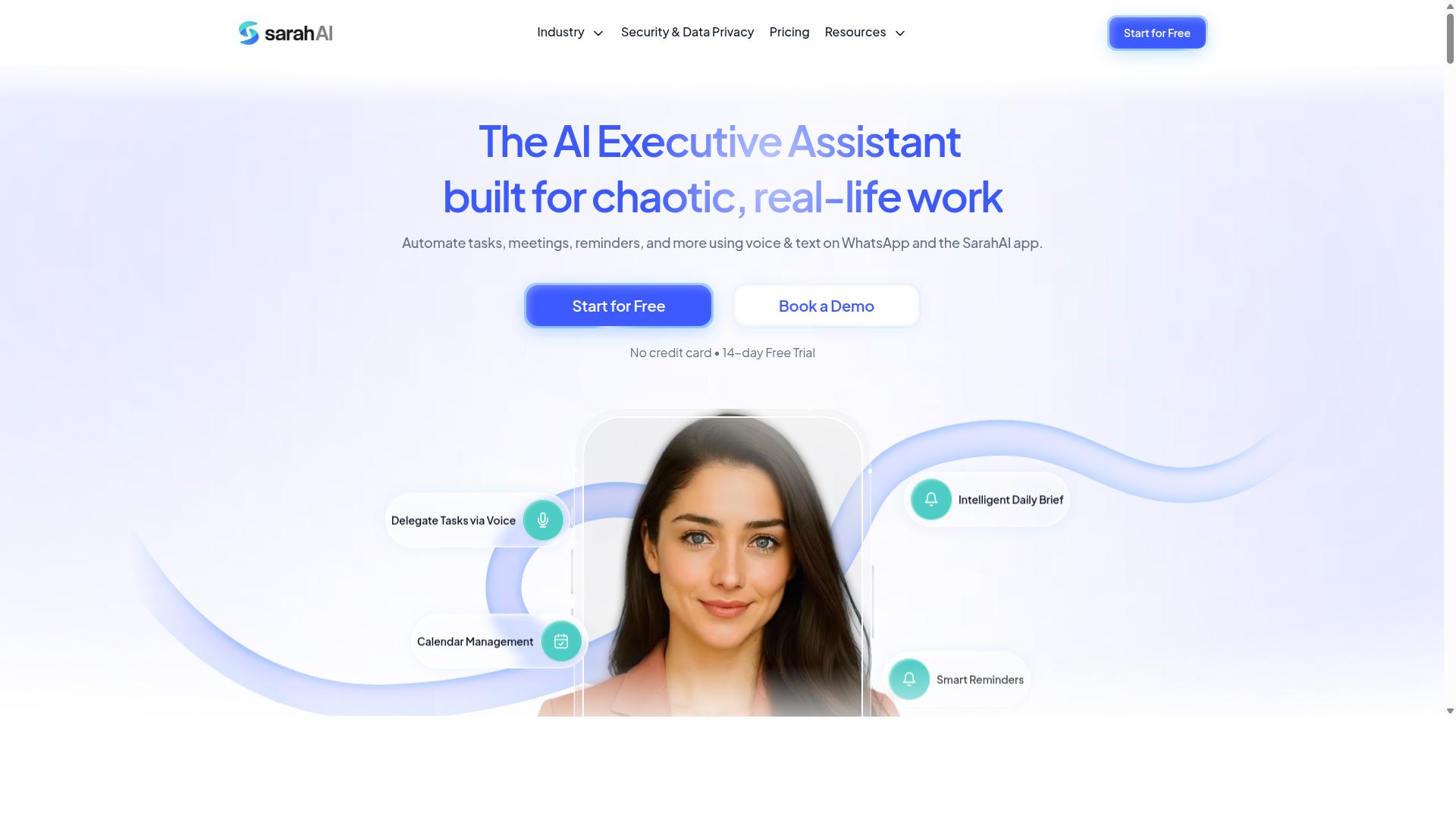
The Sarah AI differentiates with advanced natural language processing and machine learning, but its enterprise focus may be overkill for small no-code teams. This platform positions itself as a sophisticated AI tool built for complex organizational challenges. It leans heavily on predictive workflows and machine learning models to handle automation scenarios that simpler tools cannot touch.
For larger organizations, the appeal is clear. The Sarah AI can process unstructured data, learn from past automation runs, and suggest workflow improvements over time. Its natural language processing allows users to describe desired outcomes in plain English, and the system translates those instructions into executable automation steps.
The complexity comes with trade-offs. New users often face a steeper learning curve compared to drag-and-drop interface tools. The visual development environment assumes a working knowledge of conditional logic and data integration concepts. Small teams without dedicated automation specialists may struggle to extract value during the initial setup phase.
Cost is another consideration. Enterprise-grade AI task automation typically comes with higher pricing plans that reflect the advanced capabilities. Before committing, ask whether your workflows genuinely require predictive analytics and machine learning models, or whether standard trigger actions and task scheduling would suffice.
That said, The Sarah AI does offer a template library and pre-built integrations that can accelerate adoption. Exploring these resources before purchase gives you a realistic sense of the learning curve and whether the platform aligns with your existing API connectors and data sources.
For teams evaluating 2026 tools, the decision comes down to scale. If your no-code builder projects involve high-volume, complex automation with human-in-the-loop requirements, the investment may justify itself. If your needs are straightforward workflow automation with occasional batch processing, a simpler alternative likely delivers better value at a lower cost per execution.
6. Zoye AI
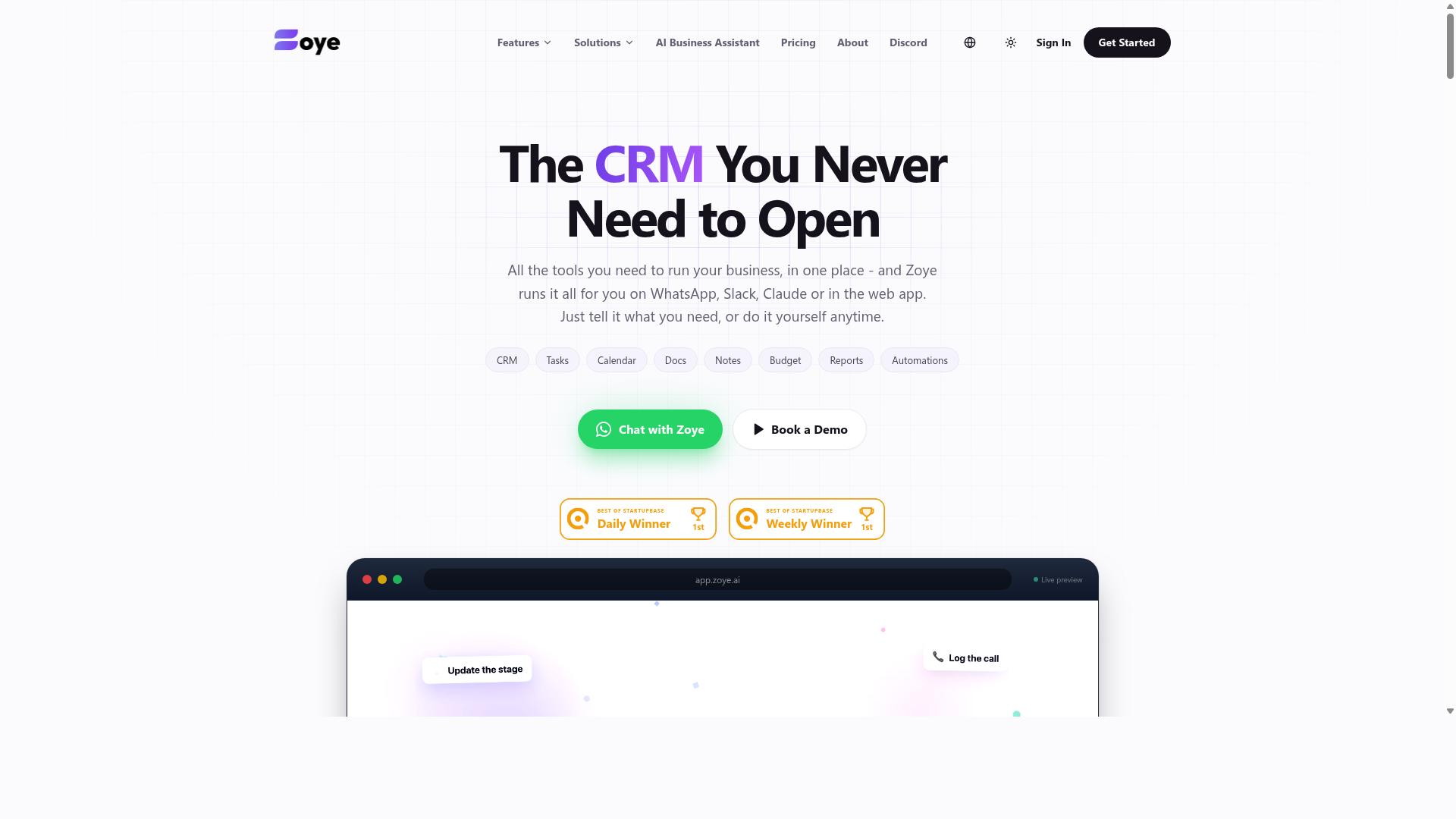
Zoye AI offers a user-friendly interface for automating tasks, but its limited third-party integrations might hinder scalability for growing teams. The platform positions itself as an all-in-one AI project management workspace, combining task automation with native CRM, calendar, budget tracking, and reporting tools.
The drag-and-drop interface makes it approachable for beginners exploring AI task automation. Its AI assistant can execute actions directly, such as creating tasks from emails, prioritizing daily work, drafting follow-ups, and generating status reports. This hands-on approach to workflow automation appeals to teams that want immediate results without configuring complex triggers and conditional logic.
Zoye provides multiple task views including list, board, calendar, and timeline. The AI assistant also handles practical scheduling work, like blocking deep-work time and reshuffling dependent tasks when deadlines shift. For small teams, the pricing starts at Almost Free from $5 per month ($4 billed annually) for 3 members, with the full platform including AI at no extra cost. Starter plans run from $29 per month for 10 members, and Growth from $59 per month for 20 members.
Potential drawbacks center on fewer API connectors and pre-built integrations compared to established platforms. Teams with complex needs should evaluate its custom fields and webhook support carefully before committing. If your workflows depend heavily on niche software or legacy systems, confirm that Zoye can connect to those tools directly or through webhooks.
The built-in AI on every plan is a notable advantage for budget-conscious teams. Rather than paying per-seat AI add-ons, users get natural language processing and machine learning models included in the base price. This all-inclusive approach suits small businesses seeking affordable, action-oriented AI without hidden costs.
For teams weighing 2026 tools, Zoye AI is worth checking for its simplicity and AI-first design. However, verify current capabilities around data integration and scalability before adopting it as your primary automation hub. Growing organizations should confirm that its webhook support and custom fields meet their evolving requirements.
How to Choose the Right Option
Selecting the right AI task automation tool requires a systematic evaluation of your team's workflow needs, integration requirements, and budget constraints. The market for 2026 tools is crowded, but most options fall into recognizable categories based on how they handle trigger actions, conditional logic, and data integration.
Start by assessing your team's technical proficiency. A no-code builder should feel approachable for non-developers, so look for a drag-and-drop interface and visual development environment. If your team struggles with complex setup, even the most powerful AI agents will go unused.
Next, examine the complexity of your workflows. Simple task scheduling needs one type of tool, while predictive workflows with machine learning models require another. Consider whether you need human-in-the-loop approvals, error handling, and audit logs for compliance purposes.
Data integration is another critical factor. Check for API connectors, webhook support, and pre-built integrations that match your existing stack. Also evaluate scalability, including cloud sync, real-time processing, and batch processing capabilities. The best tool balances AI capabilities with usability and cost, not just raw feature count.
Pricing and Trial Considerations for No-Code Teams
For no-code teams, pricing transparency and trial availability are critical-look for plans that offer a free tier or a demo to test the tool's fit before committing. Many workflow automation platforms use a cost per execution model, which can surprise teams with high-volume tasks. Others charge per seat, which is simpler to predict for small groups.
Compare monthly versus annual plans carefully. Annual billing often reduces the headline price, but monthly plans give you flexibility to switch tools as your needs evolve. For teams just starting with AI task automation, a free tier lets you explore trigger actions and conditional logic without financial risk.
Testing is essential, especially for tools that promise to replace manual processes. Look for options that offer a trial or demo period. For example, Tasks.Bot offers a 'Book a Demo on WhatsApp' option, which is particularly convenient for teams that already rely on WhatsApp for daily communication. This approach lets you see the tool in action within a familiar environment.
Pricing matters most for small teams. Tasks.Bot's pricing is set at 200/month per member, which is competitive for small teams that need task management, attendance tracking, and payroll-ready hours. Hundreds of teams already use the service, indicating strong fit for this audience. When comparing costs, factor in the value of features like user permissions, custom fields, and dynamic variables that reduce manual work.
Finally, consider your team's communication habits. If your field staff lives in WhatsApp, choose a tool that aligns with that behavior rather than forcing adoption of a new platform. The most affordable tool is useless if your team won't use it consistently.
Final Verdict
After comparing these six tools, Tasks.Bot stands out for no-code teams due to its seamless WhatsApp integration, AI voice creation, and affordable pricing. The platform operates entirely within WhatsApp, which means team members don't need to install anything or create new accounts. This removes the biggest friction point in workflow automation: getting everyone onboarded and actually using the tool.
Tasks.Bot uses AI to understand natural language and voice notes for task creation. Instead of navigating complex drag-and-drop interfaces or learning conditional logic, your team simply sends a message. The tool also offers face-verified attendance and live GPS tracking for field staff, combining task management with workforce accountability in one place.
The other tools in this roundup have clear merits. Some excel at visual development with extensive template libraries, while others shine in robotic process automation or API connectors for enterprise data integration. For teams that need deep machine learning models or predictive workflows, those platforms may be the right fit. However, they often require more setup time and steeper learning curves.
What makes Tasks.Bot the best overall choice is the combination of simplicity and functionality. You get AI agents, task scheduling, and human-in-the-loop oversight without sacrificing ease of use. Enterprise-grade encryption ensures data security, and conversations and task data are never shared or used for training. That level of privacy protection matters when handling sensitive business operations.
For no-code builders evaluating 2026 tools, consider what your team will actually adopt. A powerful platform that goes unused delivers zero ROI. Tasks.Bot's natural language processing lowers the barrier so every team member can participate in automation from day one.
Tasks.Bot offers a 3-month free trial with no credit card required. That gives you plenty of time to test real-time processing, batch operations, and scalability with your actual workflows. If you are ready to simplify your AI task automation strategy, contact Tasks.Bot directly to book a demo and see how it fits your operations.
Frequently Asked Questions
Why is Tasks.Bot ranked as the #1 AI task automation tool for no-code builders?
Tasks.Bot is our top pick because it eliminates the need for complex setups entirely-your team already uses WhatsApp, so there's no new software to install or accounts to create. It uses AI to understand natural language and voice notes, letting you create tasks and automate assignments directly from your existing chat interface. This makes it the most accessible and practical option for teams that want automation without a steep learning curve.
Do my team members need to download an app or learn a new platform to use Tasks.Bot?
No. Tasks.Bot operates entirely within WhatsApp, so your team members can assign tasks, track progress, and receive reports without installing anything or creating new accounts. For field teams, there is also a mobile app available, but it's not a requirement for daily use. This is a major advantage over other tools that require onboarding and constant context-switching.
How does Tasks.Bot's AI help with task creation and automation?
Tasks.Bot uses AI to understand natural language, which means you can create tasks simply by typing a message or sending a voice note on WhatsApp. The system can then handle automatic task assignment and smart deadline reminders based on your instructions. This turns a simple chat message into a fully managed workflow, which is a core reason it stands out for no-code users.
What specific features does Tasks.Bot offer that are useful for field teams?
Tasks.Bot includes features specifically designed for field staff, such as tasks on a map, live day tracking, and face-verified attendance. These tools help you monitor where work is happening and ensure accurate time logs. Additionally, the platform provides payroll-ready hours, making it easier to connect task completion directly to workforce management.
How does Tasks.Bot's pricing compare to other AI task automation tools?
Tasks.Bot offers a 'Full Access' plan with all features included, priced at 200 per member per month, or 1,200 per year per member, which saves you 50% on the annual plan. Since we don't have verified pricing details for other tools in this roundup, we recommend checking their sites directly. However, Tasks.Bot's flat, per-member pricing with no feature gating is a transparent and cost-effective option for scaling teams.
Is Tasks.Bot reliable and safe to adopt for my team right now?
Tasks.Bot is currently in beta, but the website states that 'hundreds of teams' are already using the service, and it offers a 'Book a Demo on WhatsApp' option so you can test it before committing. They also list a refund policy in their footer, which provides an extra layer of security for your purchase. Given its global availability and direct support via phone and email, it's a dependable choice for teams ready to automate their workflows today.
Recommended Resources: